Browser games · No installation neededLoading help →
Adventure games

Obby Keyboard Escape

Run and jump through 3D dungeon obstacle courses, avoiding traps and escaping giant robots with keyboard or mobile touch controls.

Ready — press Play
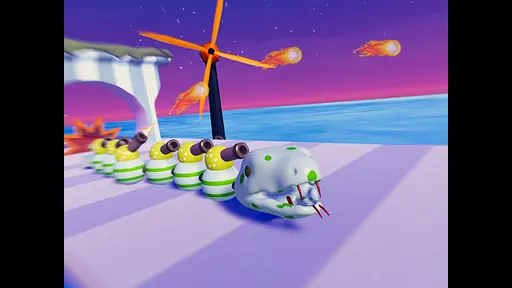
Obby Keyboard Escape game artwork

The game loads after you press Play.

Click inside the player before using keyboard controls.Loading help →
Controls & keys
  • PC: WASD to move; Space to jump.
  • Mobile: Use the available touch controls.

About Obby Keyboard Escape

Obby Keyboard Escape combines a 3D obstacle course with dungeon settings and giant robots to escape. Move through the route, jump gaps and dodge traps on the way to the finish. WASD and Space provide a clear keyboard setup, with touch controls also available on mobile.

Look at a jump’s landing before starting the crossing. A platform that clears one trap may place you close to the next, so read the section beyond it too. Use deliberate movement around tight obstacles instead of letting the urgency of an escape rush every action.


Your first attempt

How to play Obby Keyboard Escape

Use WASD to move and Space to jump, or the mobile touch controls. Follow the dungeon course, avoid traps and escape the giant robots while working toward the finish.

Make the next run count

Obby Keyboard Escape tips

  1. Check the landing and the obstacle beyond it before jumping.
  2. Line up narrow crossings before leaving a platform.
  3. Keep the route in view when escaping a giant robot.
Quick answers

Obby Keyboard Escape FAQ

What are the PC controls?

Use WASD for movement and Space to jump.

Is there a mobile control option?

Yes. The game includes touch controls for mobile players.