Browser games · No installation neededLoading help →
Adventure games

Tractor Farm: Farming Simulator

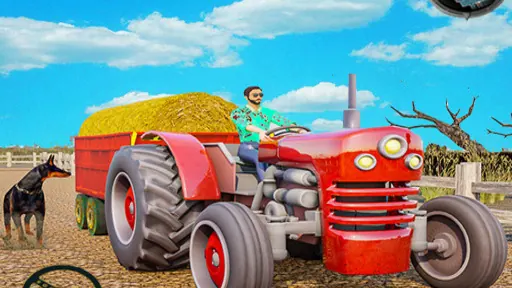
In Tractor Farm: Farming Simulator, you'll embark on an adventure across scenic farmlands, taking the wheel of a robust tractor.

Ready — press Play
Tractor Farm: Farming Simulator game artwork

The game loads after you press Play.

Click inside the player before using keyboard controls.Loading help →
Controls & keys
  • W: Accelerate
  • S: Reverse / Brake
  • A: Turn Left
  • D: Turn Right

About Tractor Farm: Farming Simulator

In Tractor Farm: Farming Simulator, you'll embark on an adventure across scenic farmlands, taking the wheel of a robust tractor. Your main objective is to master a series of farming tasks, from plowing fields to transporting vital equipment, all while honing your precision driving skills through challenging missions.
### Mastering Farm Driving Missions

The gameplay loop involves navigating your tractor through a variety of fun farming missions set in a relaxing countryside. You'll engage in essential agricultural activities like plowing fields and carefully transporting diverse farm equipment. Each task requires precise control and strategic maneuvering to ensure successful completion and progress.

Success in Tractor Farm hinges on improving your tractor driving skills and tackling increasingly challenging levels. Players must drive carefully, making smart decisions about speed and turns, especially when handling delicate cargo or complex terrain. Completing missions successfully allows you to become a highly skilled farm tractor driver.


Your first attempt

How to play Tractor Farm: Farming Simulator

To begin playing Tractor Farm: Farming Simulator, select your first mission from the main menu. Once in the game, use the W key to accelerate your tractor forward and the S key to reverse or apply the brake. Steer your vehicle using the A key to turn left and the D key to turn right. Focus on driving carefully and precisely to complete the specific farming tasks assigned in each level, such as plowing or transporting equipment. Successfully finish missions to advance and unlock new challenges.

Make the next run count

Tractor Farm: Farming Simulator tips

  1. Drive carefully, especially when transporting farm equipment, to avoid damage and ensure mission success.
  2. Practice your turns and braking in open areas to improve precision before tackling complex missions.
  3. Pay attention to the mission objectives; some tasks require specific actions like plowing or precise parking.
  4. use both acceleration and braking effectively to maintain control on varied farm terrain.
Quick answers

Tractor Farm: Farming Simulator FAQ

What kind of farming tasks can I do in Tractor Farm: Farming Simulator?

You can perform various tasks such as plowing fields, transporting farm equipment, and completing other challenging missions across the countryside.

Are the controls easy to learn for Tractor Farm: Farming Simulator?

Yes, the game features simple and responsive controls, making it easy to learn how to drive the tractor and perform farming actions.

What is the main goal of playing Tractor Farm: Farming Simulator?

The main goal is to successfully complete each farming task and mission, improving your tractor driving skills to become a skilled farm tractor driver.