Browser games · No installation neededLoading help →
Adventure games

Snake Run: Eat & Grow

Guide a snake through running levels, collect food to grow longer, and choose paths around obstacles.

Ready — press Play
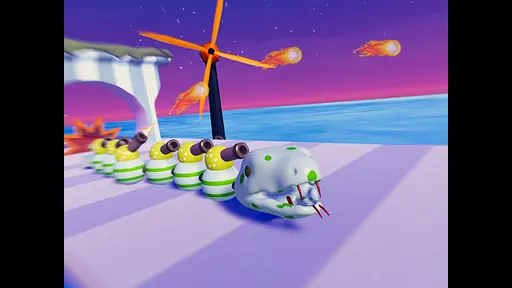
Snake Run: Eat & Grow game artwork

The game loads after you press Play.

Click inside the player before using keyboard controls.Loading help →
Controls & keys
  • A or left arrow moves left; D or right arrow moves right.
  • W or up arrow moves forward.
  • Mouse click or tap is also listed for play.

About Snake Run: Eat & Grow

Food changes the snake you are steering in Snake Run: Eat & Grow. Collecting it increases your length, while the route still demands a path around hazards. The run becomes more challenging as the snake gets bigger.

Look beyond the next food item before deciding to pursue it. As the snake grows, re-check the route rather than treating it as the same movement problem from the opening. Learn the left, right, and forward inputs in a clear section. A route you can read consistently is a sensible first target before trying to collect every available item.

Your first attempt

How to play Snake Run: Eat & Grow

Use A or left arrow to move left, D or right arrow to move right, and W or up arrow to move forward. Collect food to grow while avoiding hazards along the level.

Make the next run count

Snake Run: Eat & Grow tips

  1. Check the obstacle beyond a food item before moving toward it.
  2. Reassess the route as the snake grows longer.
  3. Learn the forward input before combining it with rapid left-right corrections.
Quick answers

Snake Run: Eat & Grow FAQ

How does the snake grow?

Collecting food increases its length.

What movement keys are listed?

A/left arrow, D/right arrow, and W/up arrow for left, right, and forward movement.