Browser games · No installation neededLoading help →
Skill games

Tunnel Rush

Move around the inside of a 3D tunnel and line up with the gaps before obstacles reach you. This player uses a classic browser build.

Ready — press Play
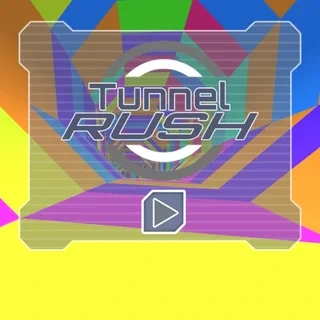
Tunnel Rush game artwork

The game loads after you press Play.

Click inside the player before using keyboard controls.Loading help →
Controls & keys
  • Left / Right arrows: Move around the tunnel.
  • Mouse: Use the start and menu controls shown in this build.
  • Keyboard focus: Click inside the player before using movement keys.

About Tunnel Rush

Tunnel Rush is a reaction game in which the route comes toward you. You move around a tunnel and avoid the barriers ahead, trying to stay aligned with a safe opening. The colour and motion make the view busy, but the practical task remains simple: find the gap and reach it before the obstacle arrives.
### Watch the next opening, not the whole screen

A rotating barrier can look more complicated than it is. Pick out the open part, judge where it will be when you reach it and move toward that position. Staring at the spinning shape itself can encourage several unnecessary corrections.

Use the nearest obstacle as the immediate task, while keeping the following one in view. Once you are aligned, hold a steady position until another input is needed.
### Avoid turning a good correction into an overshoot

Large, repeated movements can carry you past the opening you already found. Try a smaller correction, then check whether the gap is still lined up. At a higher apparent speed, deciding early is more useful than trying to make a huge adjustment at the last moment.
### Match the guide to the browser build

The iframe on this page is a classic single-player browser build. Menus and extra modes can differ from newer versions or Tunnel Rush 2. Use the instructions displayed by this player for its available actions, rather than assuming a sequel’s ships, rewards or modes are included.
Your first attempt

How to play Tunnel Rush

Start the run and click inside the frame so the player receives keyboard input. Use the left and right arrows to move around the tunnel. Identify an opening in the nearest barrier, make a controlled correction and keep watching the next part of the route.

After a collision, ask whether you chose the wrong opening or reached the correct one too late. Those are different problems. Practise recognising the safe part of a barrier first, then work on making that movement with fewer corrections.

Make the next run count

Tunnel Rush tips

  1. Read the open part of the next barrier before making an input.
  2. When already aligned, avoid adding a second large correction without a reason.
  3. Look far enough ahead to prepare, while still accounting for the nearest obstacle.
  4. After a failed run, identify whether the problem was recognition, timing or overshooting.
  5. Keep the player at a comfortable size; fullscreen can make a narrow gap easier to judge.
One focused session

A calmer steering routine

  1. Name the safe opening on the next barrier before moving.
  2. Move once toward that opening, then check the alignment.
  3. Use a smaller second input only if the first was insufficient.
  4. Repeat until the movement feels deliberate instead of becoming a left-right panic.

Common mistakes and what to try

What went wrongA useful adjustment
Following the obstacle’s decorationConcentrate on the space you can pass through, rather than every moving colour.
Correcting past the gapReduce the size of the second input when the first correction has already brought you close.
Assuming the sequel’s options are hereRead this build’s menu. Tunnel Rush 2 and newer releases can have different extras.
Quick answers

Tunnel Rush FAQ

What do I do in Tunnel Rush?

Avoid the tunnel’s obstacles by moving into a safe opening before the barrier reaches you.

Why do I hit an obstacle when I saw the gap?

You may have started moving too late or corrected too far. Compare those two possibilities rather than treating every collision as the same mistake.

Are there jumping or shooting controls?

The central action in this browser build is steering around obstacles. Follow the on-screen instructions for any additional menu actions.

Is this Tunnel Rush 2?

No. This page embeds a classic Tunnel Rush browser build. The sequel is a separate title.

Can fullscreen improve visibility?

It gives the player more screen space, which can help you judge an opening. It does not change the game’s collision rules or guarantee an easier run.