Browser games · No installation neededLoading help →
Skill games

Slope

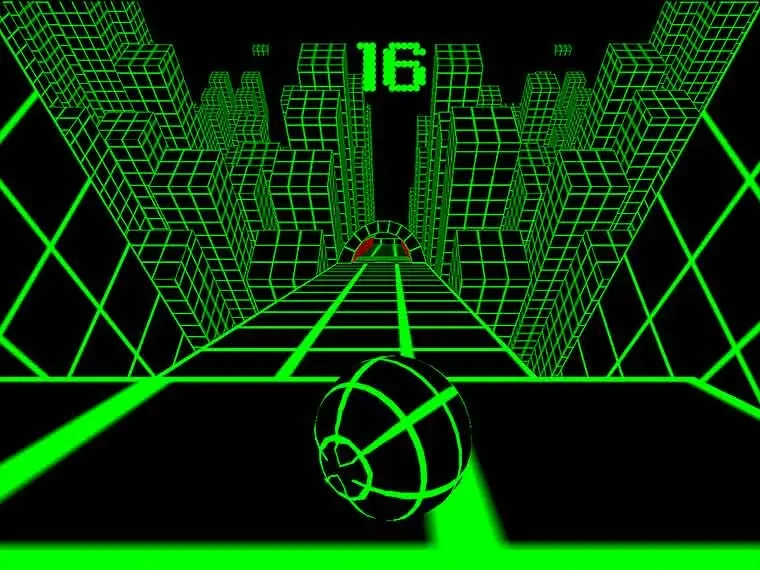
Guide a rolling ball down a narrow 3D course, staying on the track and avoiding hazards as the run continues.

Ready — press Play
Slope game artwork

The game loads after you press Play.

Click inside the player before using keyboard controls.Loading help →
Controls & keys
  • Left / Right arrows: Steer the ball.
  • Keyboard: Use the alternate keys shown by the Y8 player if available.
  • Mouse: Start a run and use the player’s menus.

About Slope

Slope is a rolling-ball survival game. The ball moves down a three-dimensional course while you steer to keep it on the platforms and clear of hazards. You are not trying to win a car race or solve a fixed board; each useful movement is a decision about the next safe stretch of track.
### Read the usable part of the next platform

Look at where the ball can safely land or continue, then steer toward that area. Following the ball’s current position alone can make the next turn arrive as a surprise. On a narrow section, aim for a usable line with room to correct instead of deliberately riding the edge.
### Small inputs keep more options open

A long steering input can solve one problem and immediately create another. If you move from one edge to the other, you may need a second large correction just to recover. Try a short press, check the result and then add only the movement you still need.
### Judge a run by its difficult section

A better score is useful feedback, but it does not tell you exactly what improved. After a loss, identify the last meaningful decision: choosing the next platform, steering around a hazard or recovering from an awkward position. Practising that decision is more informative than simply restarting and hoping for a longer run.
Your first attempt

How to play Slope

Load the player, start the run and click inside the frame before using the keyboard. Use left and right movement to guide the ball along the course. Watch the next platform, steer away from hazards and keep enough room for a controlled correction.

For the first few attempts, focus on staying on the track rather than chasing a personal best. When a run ends, decide which movement caused the loss. Try a smaller or earlier input on the next attempt, while keeping the successful parts of your approach.

Make the next run count

Slope tips

  1. Read the next landing area before committing to a long turn.
  2. Use short steering presses when a small correction is enough.
  3. Avoid running close to an edge without a reason.
  4. Keep the closest hazard in view while preparing for the next platform.
  5. Look at the cause of a failed section, not only the final score.
One focused session

A track-control drill

  1. Aim for a line with room on both sides of the ball.
  2. Make one short correction and watch how far it carries you.
  3. Shorten the input if you keep crossing too much of the platform.
  4. When that movement is reliable, work on recognising the next platform earlier.

Common mistakes and what to try

What went wrongA useful adjustment
Steering only after reaching an edgeChoose the useful line before the ball runs out of room.
Overcorrecting left and rightUse shorter presses and check the result between them.
Confusing survival with a finish lineTreat the run as an ongoing challenge; look for the next safe section rather than waiting for a fixed ending.
Quick answers

Slope FAQ

What is the objective in Slope?

Keep the rolling ball on the course and avoid hazards for as long as the run continues.

Can I stop the ball to plan a turn?

The game’s challenge is built around continuing forward movement. Read the route ahead and use controlled steering instead of expecting time to stop.

Why do small corrections help?

They leave more room to respond to the next part of the track. A long input can take the ball farther across a platform than you intended.

Is Slope the same as Slope 2 or Slope Run?

No. Those are separate game titles or versions. Use this page’s controls and player for the Slope build shown here.

Should I use a phone or a keyboard?

A keyboard is the clear starting point for the controls listed here. Check the embedded player’s own prompts before assuming touch support.