Browser games · No installation neededLoading help →
Arcade games

Run 3

Run and jump through space tunnels, using their walls to change your route. Choose structured exploration or an ongoing Infinite Mode run.

Ready — press Play
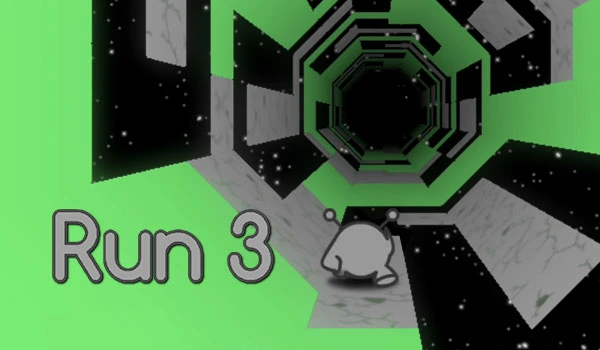
Run 3 game artwork

The game loads after you press Play.

Click inside the player before using keyboard controls.Loading help →
Controls & keys
  • Left / Right arrows: Move across the tunnel and onto its walls.
  • Space / Up Arrow: Jump.
  • Mouse: Select modes, characters and menu options.

About Run 3

Run 3 is a space platformer about finding a usable route through a tunnel. You move forward, jump over gaps and can run onto a side wall to change the surface beneath you. That makes the whole tunnel part of the route, rather than a background around a single floor.
### Choose the mode that fits the attempt

Explore Mode provides a route through levels and the Galaxy Map. Infinite Mode is built around continuing a run and collecting power cells along the way. Learning a difficult jump in a structured level is a different task from surviving a longer sequence of unfamiliar tunnel sections.
### Think about the wall as another landing option

When a gap makes the current floor awkward, look at the surrounding tunnel. Moving onto a wall can change which surface acts as the floor, opening a route you would miss by thinking only about the tiles directly ahead. Plan the surface change before you run out of safe ground.
### Keep character changes connected to the obstacle

The series includes characters with different movement abilities. When a character choice becomes available, use the level’s problem to decide what to try. Changing character after every failed jump makes it harder to learn whether the issue was the route, take-off point or the behaviour of that character.

This player uses an HTML5 browser build. Features and saved progress can differ between browser, mobile and older Flash releases, so use the menus in the current player when choosing a mode or character.
Your first attempt

How to play Run 3

Choose Explore Mode for a level-based session or Infinite Mode for an ongoing run. Use the left and right arrows to move through the tunnel and Space or the Up Arrow to jump. Moving onto a wall changes your usable surface, so inspect the whole tunnel when looking for a safe route.

Before a difficult jump, identify both the take-off point and the landing surface. If you miss, keep the character and route similar on the next attempt and adjust the jump timing first. When that route truly has no comfortable landing, consider a surface change rather than repeating an impossible-looking line.

Make the next run count

Run 3 tips

  1. Choose Explore when you want to practise a particular level or route.
  2. Look at side walls as possible ways around a difficult floor section.
  3. Decide where you will land before starting a jump.
  4. Keep the same character while comparing two versions of an attempt.
  5. In Infinite Mode, do not let a power-cell pickup distract you from the landing immediately after it.
One focused session

A difficult-jump routine

  1. Choose a visible landing surface before moving toward the gap.
  2. Try the jump with one character and note where the attempt fails.
  3. Change the take-off timing while keeping the route similar.
  4. If the floor route remains awkward, inspect a wall route and compare it as a separate attempt.

Common mistakes and what to try

What went wrongA useful adjustment
Treating every wall as decorationThe walls are part of the platforming route and can change the useful surface.
Changing character and timing togetherKeep one variable steady so the next attempt tells you what actually helped.
Collecting a cell without planning the exitCheck the landing after the pickup before committing to it.
Quick answers

Run 3 FAQ

What is Run 3?

It is a space platformer by Joseph Cloutier, also known as Player 03, with tunnel running, jumping and wall-based route changes.

What is the difference between Explore and Infinite Mode?

Explore progresses through levels and the Galaxy Map. Infinite Mode gives you an ongoing run with power cells to collect.

How do I jump?

The listed controls use Space or the Up Arrow. Click inside the iframe first so the player receives the key.

Why does the tunnel rotate when I move sideways?

Running onto a wall changes the surface that acts as your floor. Use that behaviour when planning a route around gaps.

Do I need to install Flash?

The selected player is an HTML5 build. It does not require a Flash browser plug-in.

Will progress from another Run 3 website appear here?

Do not assume that it will. Saves can depend on the build and the origin where it runs; check the game’s own save behaviour.