Browser games · No installation neededLoading help →
Racing games

Car Eats Car 3D

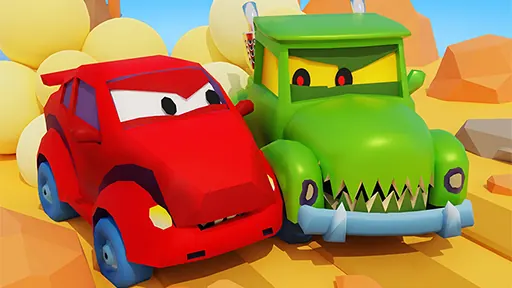
Fight alien cars, use bombs and turbo, and improve your vehicle while working through missions and boss encounters.

Ready — press Play
Car Eats Car 3D game artwork

The game loads after you press Play.

Click inside the player before using keyboard controls.Loading help →
Controls & keys
  • Up Arrow or W: gas.
  • Down Arrow or S: brake.
  • Left Arrow or A: move left.
  • Right Arrow or D: move right.
  • Space: bombs.
  • Left Shift or M: turbo.

About Car Eats Car 3D

Car Eats Car 3D combines driving with car combat. Alien invaders, missions and bosses give you targets beyond a finish line, while unlockable cars, stat upgrades and weapons let you change how you approach the battles.

The keyboard separates everyday movement from bombs and turbo. That makes it worth learning to steer through danger before using every combat tool at once. When a mission is difficult, consider whether the problem is your route, your use of the available weapons, or a car stat that can be improved. Those are different problems with different solutions.

Your first attempt

How to play Car Eats Car 3D

Learn acceleration, braking and left/right movement first. Follow the current mission, use bombs and turbo when they fit the situation, and review available car upgrades between attempts.

Make the next run count

Car Eats Car 3D tips

  1. Keep control of the car before adding turbo to a crowded fight.
  2. Use the mission objective to decide which enemies deserve attention.
  3. Match an upgrade to the difficulty you are actually having rather than choosing at random.
Quick answers

Car Eats Car 3D FAQ

How do I use bombs and turbo?

Space uses bombs; Left Shift or M activates turbo.

Is the game only about racing?

No. It also includes alien battles, missions, bosses, vehicle upgrades and weapons.