Browser games · No installation neededLoading help →
Racing games

Car Stunt Master 3D

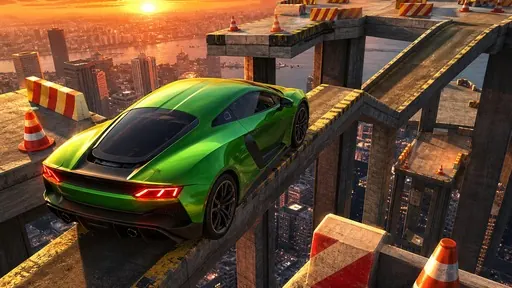
Guide a sports car across elevated ramps, loops, and narrow platforms, aiming to reach the finish without falling.

Ready — press Play
Car Stunt Master 3D game artwork

The game loads after you press Play.

Click inside the player before using keyboard controls.Loading help →
Controls & keys
  • WASD or arrow keys drive and steer.
  • Space activates the handbrake.

About Car Stunt Master 3D

The road in Car Stunt Master 3D can be a loop, a ramp, or a narrow platform high above the ground. Reaching the finish means keeping the car on that course, including the landing after a jump. A handbrake adds a separate control to the usual driving keys.

Look beyond a ramp to the surface you need to land on. Your approach is easier to assess when you know the destination rather than merely aiming at the ramp’s center. Try a controlled run through an unfamiliar section first, then adjust the speed on a later attempt.

Your first attempt

How to play Car Stunt Master 3D

Use WASD or the arrow keys to drive and steer, with Space for the handbrake. Follow the marked course through ramps and narrow sections, aligning the car with each landing and the finish.

Make the next run count

Car Stunt Master 3D tips

  1. Inspect the landing platform before entering a ramp.
  2. Learn a narrow section at a manageable pace before attempting it faster.
  3. Test the handbrake in a roomy area before relying on it near an edge.
Quick answers

Car Stunt Master 3D FAQ

What is the objective?

Follow the elevated stunt course to the finish without falling.

Which key activates the handbrake?

Space.