Browser games · No installation neededLoading help →
Racing games

Derby Car Smash Challenge

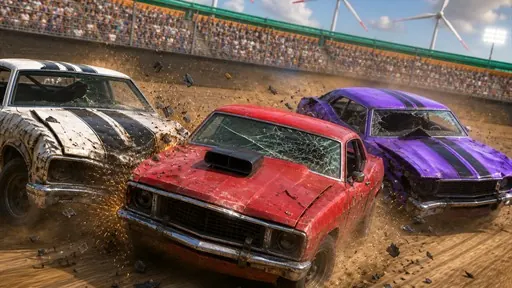
Drive through a demolition arena, ram rival cars, avoid incoming impacts and upgrade your vehicle between battles.

Ready — press Play
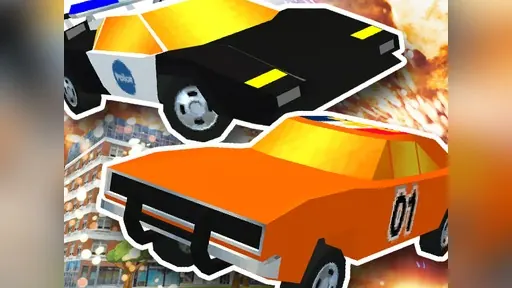
Derby Car Smash Challenge game artwork

The game loads after you press Play.

Click inside the player before using keyboard controls.Loading help →
Controls & keys
  • Drive: WASD or Arrow Keys
  • Menus/On-screen buttons: Mouse or Touch

About Derby Car Smash Challenge

Derby Car Smash Challenge takes driving into a demolition arena. You ram opposing vehicles, avoid their incoming hits and collect rewards to improve your car between battles. Steering and the timing of a collision affect whether an approach helps you or leaves you exposed.

Enter a collision with a way out

Look at the other cars around your target before accelerating into a hit. An attack that leaves you boxed in can make the next incoming impact hard to avoid. Practise turning away cleanly after contact.

Use the next battle to assess an upgrade

Choose an available improvement, then compare how the car behaves in the situation that previously caused trouble. Desktop driving uses WASD or arrow keys, with mouse or touch input for menus and on-screen buttons.

Your first attempt

How to play Derby Car Smash Challenge

To start Derby Car Smash Challenge, navigate the menus using your mouse or touch controls to select your vehicle and enter the arena. Once the demolition begins, use the WASD keys or Arrow Keys to control your car's movement. Focus on ramming into rival vehicles to inflict damage while skillfully dodging their attacks. Collect any rewards that appear to save up for upgrades. Between rounds, access the upgrade menu to enhance your car's stats, preparing you for tougher opponents and more explosive action in the next battle.

Make the next run count

Derby Car Smash Challenge tips

  1. Focus on hitting opponents from the sides or rear for maximum damage.
  2. Learn to time your collisions; sometimes dodging is better than a head-on crash.
  3. Prioritize upgrading your vehicle's durability early to withstand more impacts.
  4. use arena obstacles or walls to corner opponents effectively.
Quick answers

Derby Car Smash Challenge FAQ

What is the main goal in Derby Car Smash Challenge?

The main goal is to survive brutal demolition derby battles, dominate rival cars, and upgrade your vehicle to become the toughest driver in the arena.

How do I upgrade my car?

You collect rewards during battles by ramming opponents. These rewards can then be used between battles to upgrade your vehicle's performance and durability.

What controls are used for driving?

You can drive your car using either the WASD keys or the Arrow Keys on your keyboard. Menus are controlled with the mouse or touch.