Browser games · No installation neededLoading help →
Action games

Forest Dash

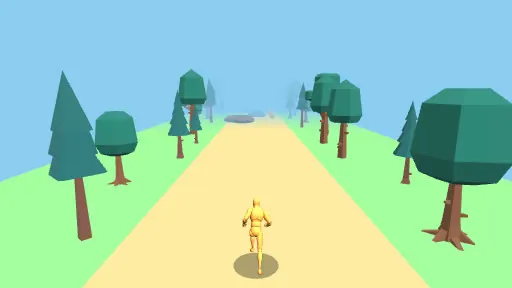
Run down a forest trail, switch lanes and jump over obstacles as the pace rises, collecting coins for character skins.

Ready — press Play
Forest Dash game artwork

The game loads after you press Play.

Click inside the player before using keyboard controls.Loading help →
Controls & keys
  • Left/right: swipe horizontally, use Left/Right arrows or A/D.
  • Jump: swipe up, use Up, W or Space.
  • Mobile: tap the left or right side to change lanes; tap upward to jump.

About Forest Dash

Forest Dash is an endless runner with a trail that becomes faster the longer you stay in the run. Rocks and logs ask for lane changes or jumps, while coins contribute toward character skins. A revive can extend a run, and distance provides the high-score target.

Keep your attention a little farther along the trail as the speed rises. A coin should not pull you into an obstacle you have already identified. Learn the difference between a lane-switch decision and a jump decision, then try to combine them into a clear route rather than issuing both inputs without checking the landing lane.

Your first attempt

How to play Forest Dash

Move left or right with a swipe, Left/Right or A/D. Jump with an upward swipe, Up, W or Space. On mobile, side taps change lanes and an upward tap jumps.

Make the next run count

Forest Dash tips

  1. Look farther ahead as the running speed increases.
  2. Check the landing lane before combining a jump with a lane change.
  3. Pass up a coin when its approach conflicts with the clear route.
Quick answers

Forest Dash FAQ

Does the speed stay constant?

No. The publisher says the run gets faster over time.

What can coins unlock?

Character skins.