Browser games · No installation neededLoading help →
Racing games

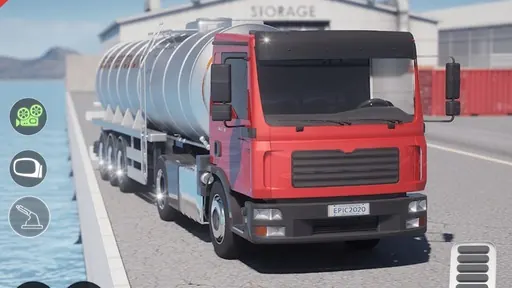
Oil Tanker Simulator

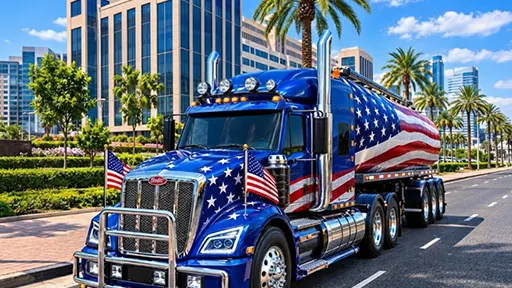
Deliver oil before the mission timer ends, using tanker driving, camera changes and a handbrake to manage traffic and turns.

Ready — press Play
Oil Tanker Simulator game artwork

The game loads after you press Play.

Click inside the player before using keyboard controls.Loading help →
Controls & keys
  • W or Up: accelerate.
  • S or Down: brake/reverse.
  • A or Left: steer left; D or Right: steer right.
  • Space: handbrake.
  • C: change camera view.
  • R: reset vehicle.
  • P: pause.

About Oil Tanker Simulator

Oil Tanker Simulator adds a time limit to fuel deliveries. The truck must reach the destination across highways and city roads while negotiating traffic, sharp turns and varying conditions. Successful deliveries earn rewards, but rushing into an accident conflicts with the purpose of the mission.

Read the route early enough to approach a bend deliberately. The camera-change control can help you judge the tanker position when the view makes a turn difficult to read. Use the timer as a reason to avoid wasted route decisions, rather than as a reason to ignore the traffic in front of you.
Your first attempt

How to play Oil Tanker Simulator

Accelerate with W/Up, brake or reverse with S/Down and steer with A/D or Left/Right. Follow the delivery destination before time expires. Use C to change the camera and P to pause.

Make the next run count

Oil Tanker Simulator tips

  1. Read the route before a sharp turn rather than correcting late.
  2. Change camera view when the tanker position is hard to judge.
  3. Save time through clearer route choices instead of unsafe traffic approaches.
Quick answers

Oil Tanker Simulator FAQ

Are the deliveries timed?

Yes. The description says to finish each delivery before time runs out.

How do I change the view?

Press C to change the camera view.