Browser games · No installation neededLoading help →
Quick games

BugBlaster

Click or tap to squash bugs in a quick arcade challenge where accurate reactions matter.

Ready — press Play
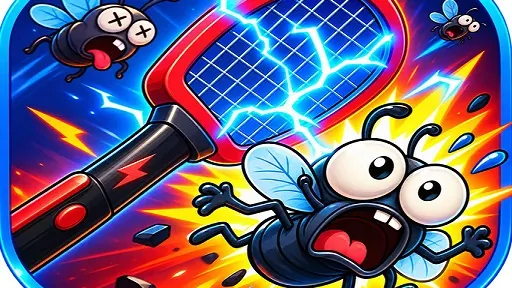
BugBlaster game artwork

The game loads after you press Play.

Click inside the player before using keyboard controls.Loading help →
Controls & keys
  • PC: Mouse click.
  • Mobile: Tap the screen.

About BugBlaster

BugBlaster keeps the task immediate: spot a bug and squash it. Mouse clicks on PC and taps on mobile give you direct interaction with the insects, with no extra attack keys to learn.

The useful habit is to move your attention after each hit. Staring at a bug you have already dealt with wastes the moment when another target needs a response. Try a pace that lets you place each click deliberately, then increase it as locating targets becomes easier.
Your first attempt

How to play BugBlaster

Watch for a bug, click or tap it, then scan for the next target. Begin with accurate hits before trying to react faster.

Make the next run count

BugBlaster tips

  1. Shift your attention to a new target immediately after a hit.
  2. Aim at a visible bug instead of clicking the same empty area repeatedly.
  3. Use a comfortable hand position that lets you reach targets across the screen.
Quick answers

BugBlaster FAQ

Can I use a touch device?

Yes. Mobile tapping is supported.

What am I trying to hit?

Bugs appearing in the arcade challenge.