Browser games · No installation neededLoading help →
Quick games

Dinosaur Dig

Uncover and clean fossil bones, then assemble dinosaur skeletons as new excavation locations become available.

Ready — press Play
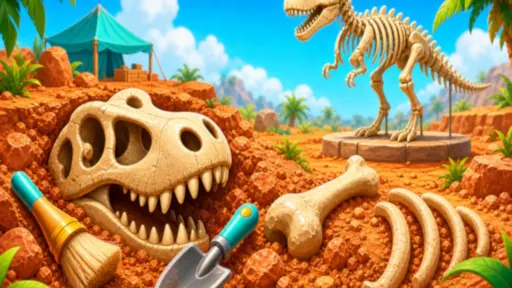
Dinosaur Dig game artwork

The game loads after you press Play.

Click inside the player before using keyboard controls.Loading help →
Controls & keys
  • Mouse or touchscreen: control tools and complete activities.
  • Remove soil and clean dirt from discoveries.
  • Drag fossil pieces into the correct positions to assemble a skeleton.

About Dinosaur Dig

Dinosaur Dig follows the work of an excavation from a map location to a reconstructed skeleton. You remove soil, uncover bones, clean discoveries and drag the pieces into their correct places. Puzzles and mini-games vary the activity between those stages.

The transition from digging to assembly is worth noticing. While uncovering a bone, concentrate on the tool task currently shown; when assembling the skeleton, compare the piece’s shape with the space it belongs in. Completing activities opens new sites, so each location provides another discovery to work through.


Your first attempt

How to play Dinosaur Dig

Choose an available excavation site. Use the mouse or touchscreen tools to remove soil and clean bones, then drag the discovered pieces into place to assemble the skeleton.

Make the next run count

Dinosaur Dig tips

  1. Follow the current tool task before trying to move to assembly.
  2. Compare a fossil piece’s outline with the available skeleton positions.
  3. Complete the site’s activities before looking for newly unlocked locations.
Quick answers

Dinosaur Dig FAQ

What happens after finding a bone?

Discoveries are cleaned, and the pieces are assembled into dinosaur skeletons.

How are new locations reached?

Complete activities to unlock more excavation sites on the map.