Browser games · No installation neededLoading help →
Quick games

Zomly

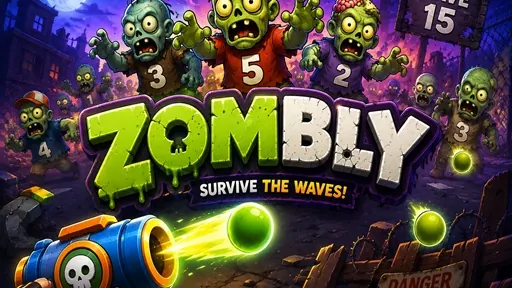
Read the hit count on each zombie, line up the ball-firing cannon, and try to survive another wave.

Ready — press Play
Zomly game artwork

The game loads after you press Play.

Click inside the player before using keyboard controls.Loading help →
Controls & keys
  • Position the cannon and hit each zombie the number of times marked on it.

About Zomly

Zomly gives each zombie a number with a practical meaning: it is the number of hits needed to defeat that enemy. Your ball-throwing gun therefore has to do more than hit the crowd once. Pay attention to how much work remains on a target as successive waves arrive.

Cannon placement and target choice belong together. A high-numbered zombie may demand sustained attention, while a nearly defeated one may be quick to remove. Judge the immediate threat on screen before deciding where the next balls should go; a fixed rule such as always choosing the smallest number will not suit every situation.


Your first attempt

How to play Zomly

Locate the cannon and read the numbers on the first zombies. Position it to hit a chosen target, watch its remaining hit count, and continue clearing enemies through the waves.

Make the next run count

Zomly tips

  1. Check a zombie’s remaining number before switching away from it.
  2. Favor a clear shooting angle over a position that leaves enemies hard to reach.
  3. Compare the closest threat with easy-to-finish targets rather than following one target rule throughout.
Quick answers

Zomly FAQ

What do the numbers on zombies mean?

They show how many hits are required to defeat each zombie.

What is the objective?

Survive as many zombie waves as possible with the ball-throwing gun.