
Browser games · No installation neededLoading help →
Quick games

Binary Balls

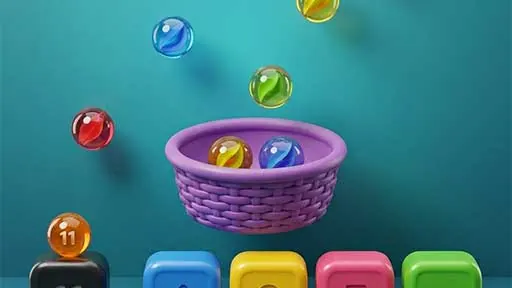
Send incoming 0 and 1 balls into their matching bowls by holding or releasing the left mouse button to swap positions.

Ready — press Play
Binary Balls game artwork

The game loads after you press Play.

Click inside the player before using keyboard controls.Loading help →
Controls & keys
  • Hold the left mouse button or release it to swap the bowls.

About Binary Balls

Binary Balls reduces sorting to two labels and two bowl positions. Incoming balls carry either 0 or 1, and each belongs in the bowl with the same number. Holding or releasing the left mouse button swaps the bowls, so both halves of that input matter.

First learn which arrangement corresponds to a held button and which to a released one. Then read the next ball’s number before changing state. A sequence of matching numbers may call for keeping the current arrangement rather than clicking repeatedly. This makes the challenge about recognizing a needed swap, not treating every arrival as a command to move.

Your first attempt

How to play Binary Balls

Identify the 0 and 1 bowls. Hold and release the left mouse button to see how they swap, then choose the arrangement that places each incoming ball over its matching bowl.

Make the next run count

Binary Balls tips

  1. Learn the held and released bowl arrangements before following a faster sequence.
  2. Read the next ball’s number before deciding to swap.
  3. Keep the current arrangement when it already matches the incoming ball.
Quick answers

Binary Balls FAQ

Where does a ball marked 1 belong?

In the bowl containing balls marked 1; the same matching rule applies to 0.

Does releasing the button matter?

Yes. Holding and releasing the left mouse button are both part of swapping the bowls.