Browser games · No installation neededLoading help →
Puzzle games

Season Change

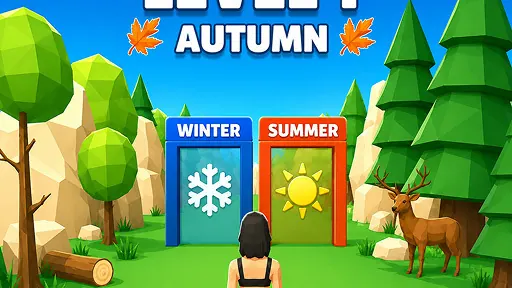
Switch between spring, summer, autumn and winter to explore seasonal transformations and solve environmental challenges.

Ready — press Play
Season Change game artwork

The game loads after you press Play.

Click inside the player before using keyboard controls.Loading help →
Controls & keys
  • Use the mouse to click buttons.

About Season Change

Season Change uses the four seasons as the central puzzle idea. Switching among spring, summer, autumn and winter changes the setting and helps you work through challenges and unlock environments. The published description does not specify the effect of each season, so the changes visible in the current scene are your best guide.

Compare the same situation in different seasons before deciding on a solution. Look for a changed object, a different route or a new interaction that relates to the challenge in front of you. This is more useful than assuming winter, for example, always creates a particular kind of platform.

Your first attempt

How to play Season Change

Use the mouse to click the game's buttons. Change the season through the available interface, observe how the scene changes and use those changes to solve the current challenge.

Make the next run count

Season Change tips

  1. Compare one scene across seasons before moving on.
  2. Look for changes that directly affect the current obstacle.
  3. Use the game's visible results rather than assuming a fixed rule for each season.
Quick answers

Season Change FAQ

Which seasons are included?

Spring, summer, autumn and winter.

Are exact seasonal effects documented?

The publisher describes seasonal transformations but does not list a fixed effect for each season.