Browser games · No installation neededLoading help →
Sports games

Quarterback

Use swipe throws to pass to receivers, send the ball through tires and complete a variety of target challenges.

Ready — press Play
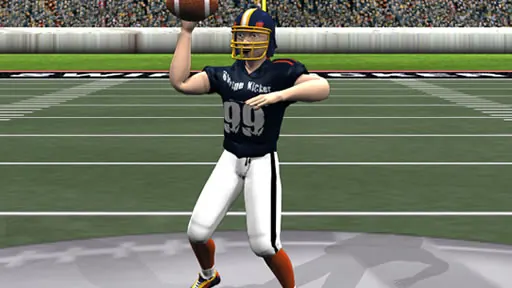
Quarterback game artwork

The game loads after you press Play.

Click inside the player before using keyboard controls.Loading help →
Controls & keys
  • Swipe to throw.

About Quarterback

Quarterback is a collection of passing challenges. Some asks involve receivers, while others use tires, targets or mascots. The throw is controlled by a swipe, so the central task is matching that gesture to the target currently on screen.

Use an early throw to understand the response instead of repeating the same swipe after a miss. Compare where the ball went with where the target was, then adjust one part of the gesture. Different target shapes call for different aiming judgments: the space inside a tire is a more precise reference than the whole tire.


Your first attempt

How to play Quarterback

Identify the current target, swipe to throw, and observe the ball’s route. Adjust the next swipe based on the miss or hit, then complete the challenge shown by the game.

Make the next run count

Quarterback tips

  1. Aim at the useful part of a target, such as the opening inside a tire.
  2. Change one aspect of the swipe after a miss.
  3. Read the next challenge before assuming it is another receiver pass.
Quick answers

Quarterback FAQ

How do I throw the ball?

Throw using a swipe gesture.

Are all challenges receiver passes?

No. Tires, targets, mascots and other objects are also used.