Browser games · No installation neededLoading help →
Puzzle games

PixelBlock

PixelBlock offers a fresh take on the classic block puzzle genre, challenging you to not just clear lines but to unleash satisfying destruction.

Ready — press Play
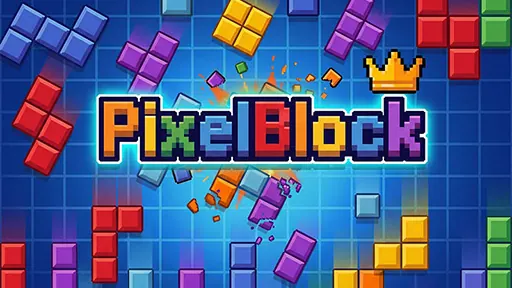
PixelBlock game artwork

The game loads after you press Play.

Click inside the player before using keyboard controls.Loading help →
Controls & keys
  • Mouse: Drag and place blocks

About PixelBlock

PixelBlock offers a fresh take on the classic block puzzle genre, challenging you to not just clear lines but to unleash satisfying destruction. Strategically place various block shapes onto the grid, aiming to complete rows and columns. Instead of simple disappearance, watch as your completed lines explode into a dazzling display of visual effects.
### Strategic Block Destruction

The core loop of PixelBlock involves dragging and dropping uniquely shaped blocks onto a grid. Your goal is to fill complete horizontal or vertical lines, which then trigger an impressive explosion. This mechanic transforms traditional line-clearing into a dynamic process of creating spectacular visual displays, rewarding precise placement and forward thinking.

Success in PixelBlock depends on careful planning and spatial awareness. As you progress, the challenge intensifies, requiring you to anticipate future block placements and manage the available grid space effectively. Each successful destruction not only clears space but also contributes to a visually stunning experience, making every move impactful.

Your first attempt

How to play PixelBlock

To begin playing PixelBlock, simply observe the upcoming block shapes presented to you. Use your mouse to drag a block from the selection area and place it onto any empty space on the main grid. Strategically arrange these blocks to form complete horizontal or vertical lines. Once a line is fully filled, it will automatically clear from the board in an explosive visual effect, making space for more blocks. Continue placing blocks and clearing lines to achieve the highest score possible before the grid fills up.

Make the next run count

PixelBlock tips

  1. Always look ahead at the next available blocks to plan your placements.
  2. Try to create multiple lines simultaneously for bigger, more satisfying explosions.
  3. Keep the center of the grid as open as possible to accommodate larger or awkward block shapes.
  4. Don't rush; take a moment to visualize where each block will fit best for maximum impact.
Quick answers

PixelBlock FAQ

What is the main objective in PixelBlock?

The main objective is to strategically place blocks on the grid to complete full horizontal or vertical lines, triggering explosive destruction and clearing space.

How do I control the blocks in PixelBlock?

You control the blocks using your mouse. Simply drag and drop the desired block from the selection area onto the main game grid.

What makes PixelBlock different from other block puzzle games?

PixelBlock distinguishes itself with its emphasis on "explosive, satisfying destruction" and spectacular visual effects when lines are cleared, rather than just simple disappearance.