Browser games · No installation neededLoading help →
Hypercasual games

Physics Sandbox

Physics Sandbox is a creative simulation game where you can freely experiment with diverse elements.

Ready — press Play
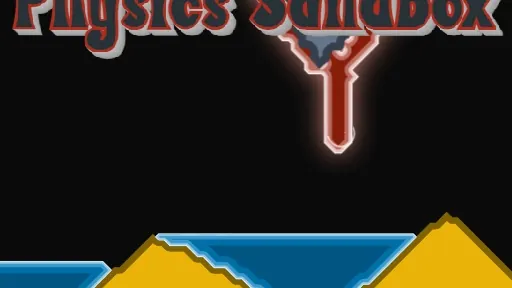
Physics Sandbox game artwork

The game loads after you press Play.

Click inside the player before using keyboard controls.Loading help →
Controls & keys
  • Left click: Draw and place materials
  • Right click: Erase elements
  • Drag panels: Move interface elements
  • Minimize panels: Hide interface elements

About Physics Sandbox

Physics Sandbox is a creative simulation game where you can freely experiment with diverse elements. Players are encouraged to explore the properties of different materials, from flowing liquids to explosive gas, and observe how they interact within a customizable pixel-based world. The main objective is to unleash your creativity and build unique physical scenarios.
### Experiment with Dynamic Materials

The gameplay involves selecting various materials such as sand, water, lava, or gas, and placing them into the environment. Observe how these elements react to each other and gravity, creating intricate and often surprising physical simulations. You can continuously add, remove, and modify the scene to see different outcomes.

Players experience a unique creative freedom, making decisions about which materials to combine and how to shape their interactions. The challenge lies in understanding the distinct properties of each element and using them to construct complex systems or simply enjoy the visual spectacle of their reactions. Discover new possibilities with custom materials.


Your first attempt

How to play Physics Sandbox

To begin playing Physics Sandbox, use the left mouse button to draw and place various materials into the environment. Experiment with different elements like powder, liquids, and gas to see how they behave. If you make a mistake or want to clear an area, use the right mouse button to erase. You can also drag and minimize the game's panels to customize your workspace and focus on your creations. Start by building simple structures or just dropping materials to observe their natural flow and reactions.

Make the next run count

Physics Sandbox tips

  1. Experiment with different material combinations to discover unique reactions.
  2. Use the erase tool to refine your creations or clear space for new experiments.
  3. Try splitting solid materials to observe their fragmentation physics.
  4. use custom materials to expand your creative possibilities.
  5. Drag and minimize panels to get a clearer view of your simulation.
Quick answers

Physics Sandbox FAQ

What types of materials can I use in the sandbox?

You can experiment with various materials including powder, liquids, lava, solids that can be split, and gas, along with custom materials.

How do I remove materials from the environment?

To remove any placed materials or clear an area, simply use the right mouse button to erase them.

Can I customize the game interface?

Yes, you can drag and minimize the game's panels to adjust the layout and focus on your simulation.