Browser games · No installation neededLoading help →
Quick games

Kamal Click and Dance

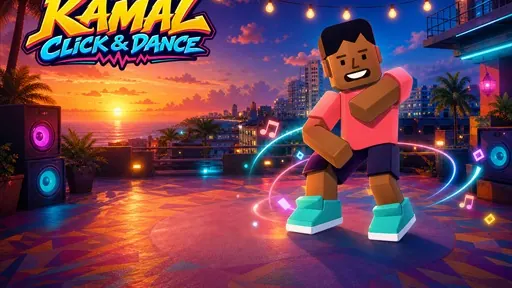
Grow a rooftop dance crew by earning vibes, buying upgrades and taking on timing challenges in Beat Rush and Dance Cup.

Ready — press Play
Kamal Click and Dance game artwork

The game loads after you press Play.

Click inside the player before using keyboard controls.Loading help →
Controls & keys
  • Tap or click the stage, or press Space or Enter: dance and earn vibes.
  • Right panel: buy upgrades.
  • Dance Battles: keep tapping to fill and win the battle.
  • Beat Rush: hit floating notes in the correct order.

About Kamal Click and Dance

Kamal Click and Dance begins on a rooftop and expands into a dance tour. Clicking the stage earns vibes, while upgrades and recruited characters help develop the crew. Dance Battles, Beat Rush and the 60-second Dance Cup give the progression different kinds of activity instead of relying only on repeated clicks.

Use ordinary stage tapping to understand the upgrade choices, then pay attention to the instructions for each challenge. Dance Battles ask you to keep filling the battle through taps, while Beat Rush asks for floating notes in the correct order. Prestige, daily rewards and offline income give you more progression choices; read what each changes before using it.
Your first attempt

How to play Kamal Click and Dance

Tap or click the stage, or use Space or Enter, to earn vibes. Buy upgrades from the right panel. Keep tapping in Dance Battles and hit Beat Rush notes in the shown order.

Make the next run count

Kamal Click and Dance tips

  1. Compare the available upgrades before spending earned vibes.
  2. Treat Beat Rush as an order-reading task rather than rapid random tapping.
  3. Check what prestige changes before choosing it.
Quick answers

Kamal Click and Dance FAQ

How do I earn vibes?

Tap or click the stage, or use Space or Enter on a keyboard.

What makes Beat Rush different?

Its floating notes need to be hit in the correct order.