Browser games · No installation neededLoading help →
Clicker games

Cookie Clicker

Bake cookies by clicking, buy buildings that produce more cookies and use upgrades to develop a growing bakery.

Ready — press Play
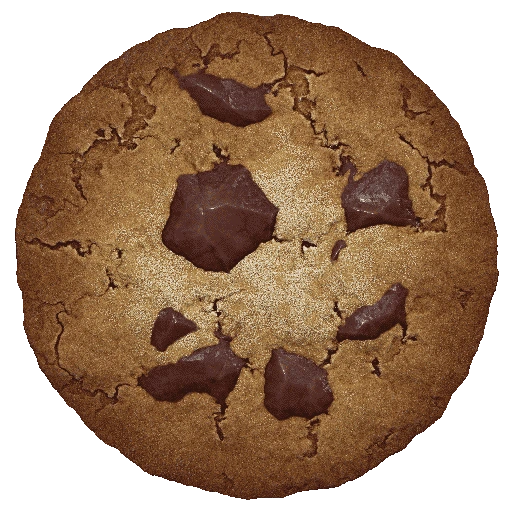
Cookie Clicker game artwork

The game loads after you press Play.

Click inside the player before using keyboard controls.Loading help →
Controls & keys
  • Mouse: Click the large cookie.
  • Mouse: Select buildings, upgrades and game menus.
  • Options: Use the game’s own save, export and import controls.
  • Fullscreen: Expand the iframe when the full store and information panels need more room.

About Cookie Clicker

Cookie Clicker starts with a cookie and a click, then turns that small action into a production game. Earn cookies, spend them on buildings that generate more and unlock upgrades as the bakery grows. The interesting decisions shift over time: early purchases get production moving, while later choices involve how much an improvement costs relative to the gain it provides.
### Compare a purchase with the production it adds

The cheapest item is not automatically the best next purchase, and the largest visible number is not automatically the most efficient one. Compare the cost with the extra cookies per second, then consider how long you would need to wait before buying it. That comparison is a starting point, rather than a universal formula for every special effect or upgrade.
### Read the upgrade effect before spending

An upgrade can improve a click, a building group or another part of the game. If it affects something you currently use only a little, the immediate gain can be smaller than the description first suggests. Relate the effect to your current bakery instead of buying by icon or price alone.
### Protect a long-running bakery

Cookie Clicker has its own save and export tools. Use the Options menu to inspect them and export a backup before clearing browser data or changing where you play. A Favorites entry on this website remembers the address; it cannot reconstruct the game’s stored bakery.

The iframe loads the developer’s browser version. It has its own menus, storage and updates, separate from this catalog’s favorites and personal ratings.


Your first attempt

How to play Cookie Clicker

Click the large cookie to earn your first cookies, then use the store to purchase available buildings and upgrades. Watch cookies per second to see how production changes after a purchase. As new systems appear, read their explanations before spending resources or resetting progress.

For a focused first session, compare two affordable purchases and decide which adds a useful amount of production for its cost. Before leaving a bakery you care about, inspect the Options menu and export a save. Keep that export somewhere you can find it again; the website’s history list is not a game backup.

Make the next run count

Cookie Clicker tips

  1. Compare the production gained from a purchase with its cost, rather than relying on the cheapest price alone.
  2. Read which part of the bakery an upgrade affects before buying it.
  3. Keep enough context to recognise why production changed after a purchase.
  4. Use the game’s Options menu to export a backup before clearing site or browser data.
  5. Read the Legacy or reset explanation when it becomes relevant instead of resetting simply because the button is available.
One focused session

A purchase-comparison routine

  1. Choose two available purchases you can understand from their descriptions.
  2. Compare cost and the part of production each affects.
  3. Buy one and observe the change in cookies per second or clicking output.
  4. Use that result when judging the next purchase, remembering that prices and your bakery both change.

Common mistakes and what to try

What went wrongA useful adjustment
Buying the cheapest icon without reading itCompare its actual effect with the bakery you currently have.
Assuming a tab must remain open foreverUse the current browser version’s own save and offline-progress information; do not guess from another edition.
Clearing browser data before making a backupExport a save through Options first and keep the export outside the game.
Quick answers

Cookie Clicker FAQ

Is this the original Cookie Clicker browser game?

The player loads Cookie Clicker directly from Orteil’s DashNet browser address.

What are cookies per second?

They describe the bakery’s automatic production rate. Use the value to understand how buildings and upgrades affect ongoing output.

Which building should I buy first?

Start with an affordable purchase that increases production, then compare the next available costs and effects. There is no single fixed buying order that fits every stage or special effect.

Does Favorites save my bakery?

No. Use Cookie Clicker’s own save and export tools. Favorites only keeps a link to this page.

Why is the player wider than a simple clicker?

The desktop game includes production and information panels as well as the large cookie. Fullscreen gives those panels more room.

Can I use a Steam guide for every browser feature?

Check the current game menus first. Different editions and updates can have different features or timings.