Browser games · No installation neededLoading help →
Adventure games

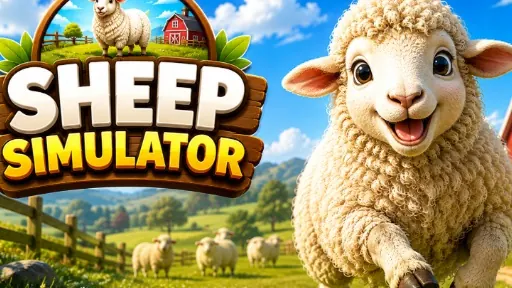
Sheep Simulator Animal Games

Explore an open world as a sheep, build a family and complete missions while watching for dangerous animals.

Ready — press Play
Sheep Simulator Animal Games game artwork

The game loads after you press Play.

Click inside the player before using keyboard controls.Loading help →
Controls & keys
  • WASD: movement.
  • Mouse: camera movement.
  • P: pause; Ctrl: settings; I: information.
  • E: attack; Shift: sprint; F: actions.
  • Tab: skip cutscene.
  • Mobile: joystick movement; drag the screen to move the camera.

About Sheep Simulator Animal Games

Sheep Simulator Animal Games combines a sheep’s open-world adventure with family tasks. The city, missions and coin collection give you activities to pursue, while dangerous animals add a survival concern to the exploration.

Use the camera to inspect a route before sprinting into it. A mission can lead you toward a goal, but the animals and surroundings along the way still deserve attention. Learn the movement and action controls near a clear area first so that you can respond more deliberately when an encounter becomes busy.
Your first attempt

How to play Sheep Simulator Animal Games

Move and look around to learn the controls, read the current mission, and explore for family tasks and coins. Keep dangerous animals in view as you move through the open world.

Make the next run count

Sheep Simulator Animal Games tips

  1. Inspect a route with the camera before using sprint.
  2. Keep the current mission in mind when choosing where to explore.
  3. Learn action controls before approaching a dangerous animal.
Quick answers

Sheep Simulator Animal Games FAQ

What can I do as the sheep?

Explore the city, build a family, complete missions and collect coins.

How is the mobile camera controlled?

Drag the screen to move the camera.