Browser games · No installation neededLoading help →
Arcade games

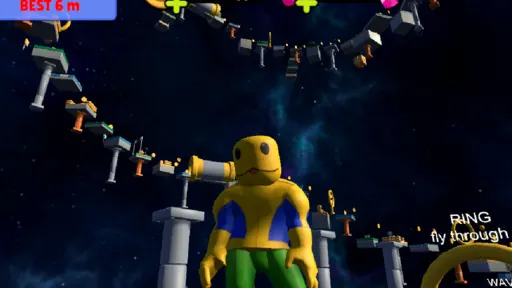
Obby Tower: Only Up!

Practice tower traps in the Training Hall, then climb thirty levels of platforms, wind zones and moving hazards.

Ready — press Play
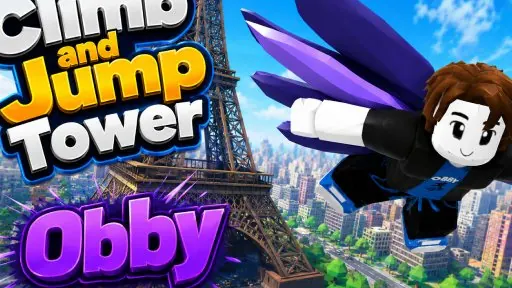
Obby Tower: Only Up! game artwork

The game loads after you press Play.

Click inside the player before using keyboard controls.Loading help →
Controls & keys
  • PC: WASD or Arrow keys to move; mouse to look around; Space to jump; Shift to sprint.
  • Mobile: left joystick to move; swipe the right side to look; use on-screen jump and sprint buttons.

About Obby Tower: Only Up!

Obby Tower: Only Up! is a vertical parkour challenge with thirty levels. Springs, hammers, crushers, conveyors, wind zones, cannons and unstable platforms each change what a safe approach looks like, and a missed jump can send you falling.

The Training Hall is a useful place to learn the hazards before attempting the tower. Practice a trap’s timing there, then take the same observation habit into the climb. Coins and diamonds unlock skins, while level skips offer a shortcut; deciding which reward to pursue should still take the surrounding platform into account.
Your first attempt

How to play Obby Tower: Only Up!

Start in the Training Hall to learn the obstacles. Move the camera to inspect each landing, jump through the tower route, and use sprint only when the current section gives you room to control it.

Make the next run count

Obby Tower: Only Up! tips

  1. Practice a new trap in the Training Hall before tackling it during a climb.
  2. Inspect the landing before adding sprint to a jump.
  3. Wait to understand a moving hazard’s timing rather than following it blindly.
Quick answers

Obby Tower: Only Up! FAQ

How many tower levels are described?

The game lists thirty levels.

Where can I learn the traps?

The Training Hall lets you practice them before starting the climb.